Showing posts with label linux. Show all posts

How to convert .webp image to .png on Ubuntu using ffmpeg and terminal

How to convert .webp image to .png on Ubuntu using ffmpeg and terminal 

How to convert .webp to .png images on Ubuntu via Terminal and ffmpeg coding tutorial

    FFmpeg is a free and open-source software project consisting of a large suite of libraries and programs for handling video, audio, and other multimedia files and streams. At its core is the FFmpeg program itself, designed for command-line-based processing of video and audio files. It is widely used for format transcoding, basic editing (trimming and concatenation), video scaling, video post-production effects and standards compliance (SMPTE, ITU).

    In this tutorial we will convert .webp images to .png using ffmpeg and Ubuntu's terminal.

Solving :

Watch on YouTube

Install ffmpeg on Ubuntu

First of all we need to install ffmpeg on Ubuntu ( if it's not installed ). We need to make this step only once.

1. Open Ubuntu Terminal

Open Ubuntu terminal by clicking Terminal icon on your desktop
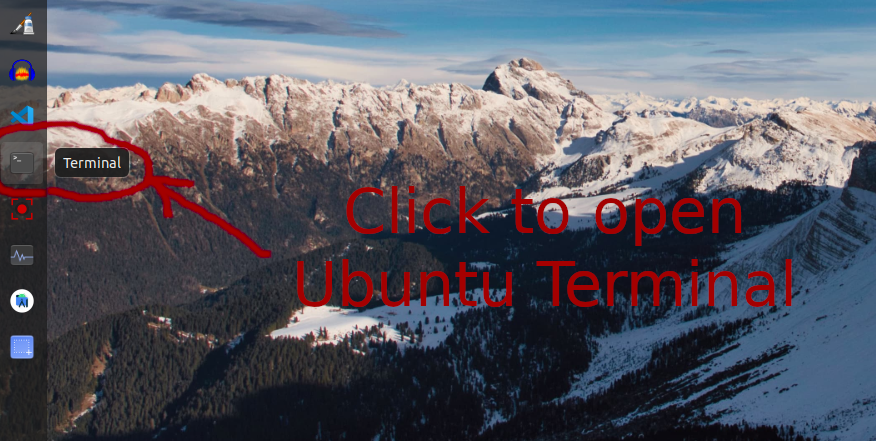
click on icon to open ubuntu terminal

2. Update Ubuntu package list in Terminal

Type sudo apt update and press Enter, type your password and press Enter one more time.

Type sudo apt update and press Enter on Ubuntu Terminal

type your password and press enter in ubuntu terminal

ubuntu paclage list updated

3. Install FFMPEG on Ubuntu via Terminal

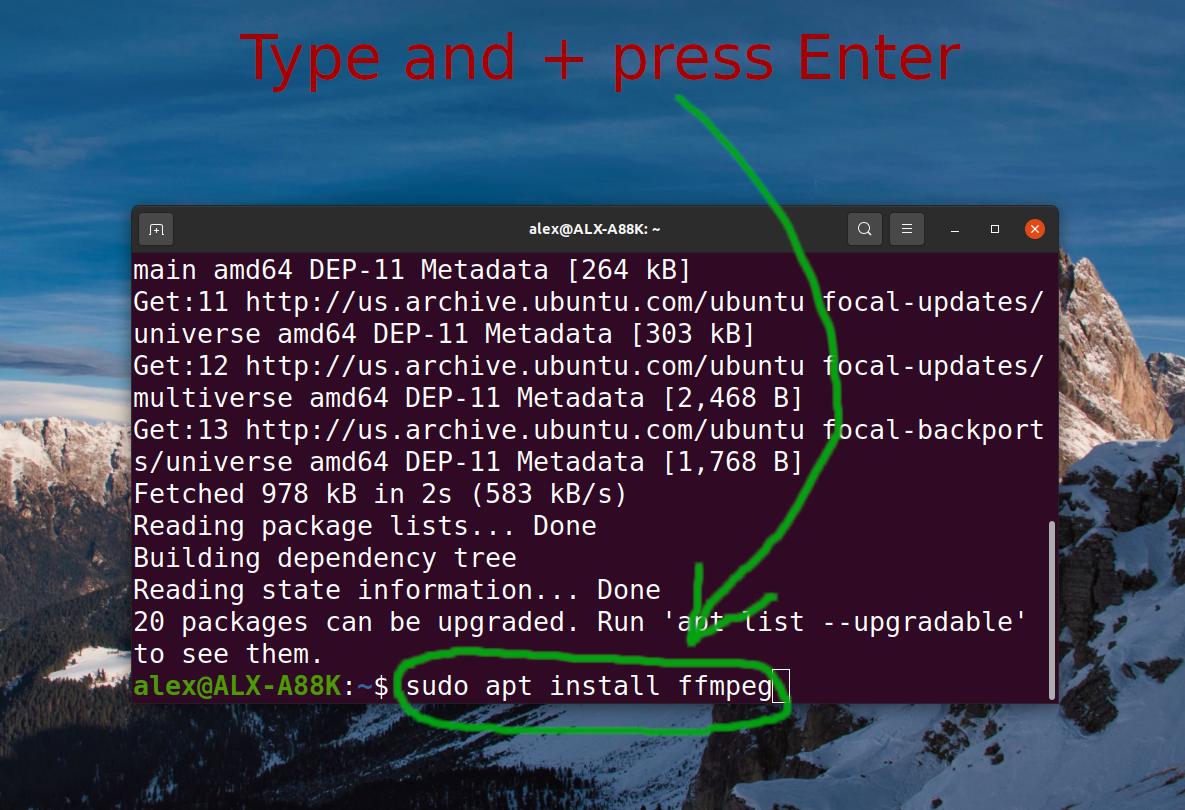
Type sudo apt install ffmpeg and press Enter, type your password and press Enter one more time.

type sudo apt intall ffmpeg and press enter in ubuntu terminal

ffmpeg already installed on ubuntu

4. Check FFMPEG version

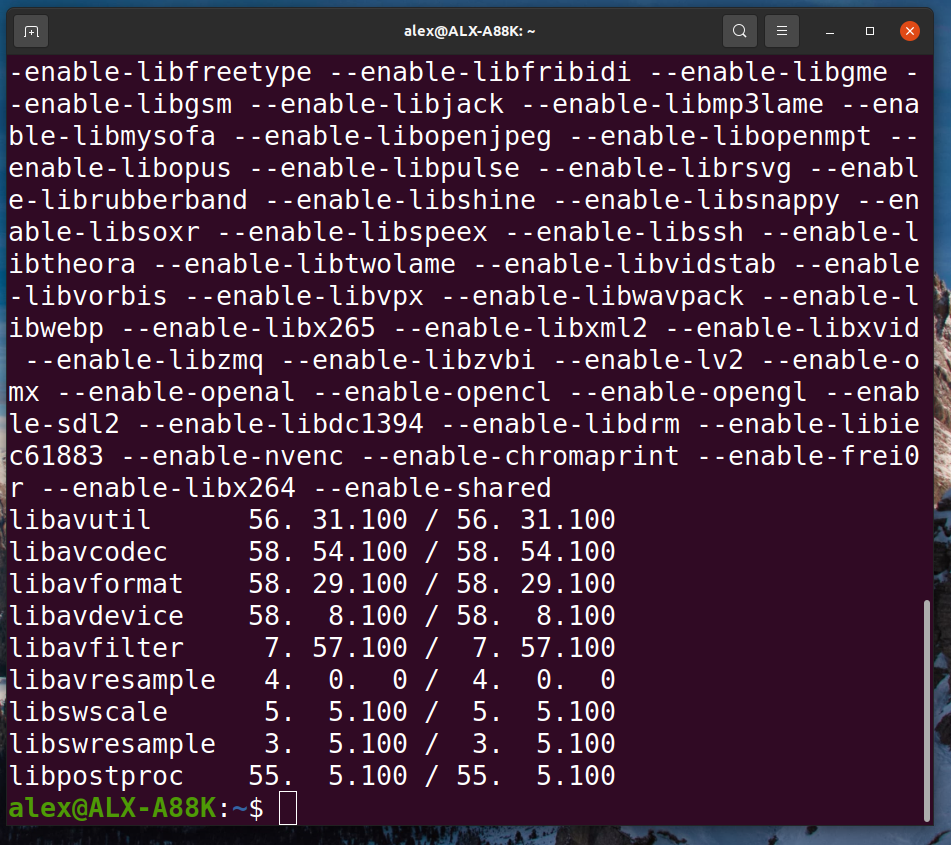
Simply type ffmpeg -version and press Enter
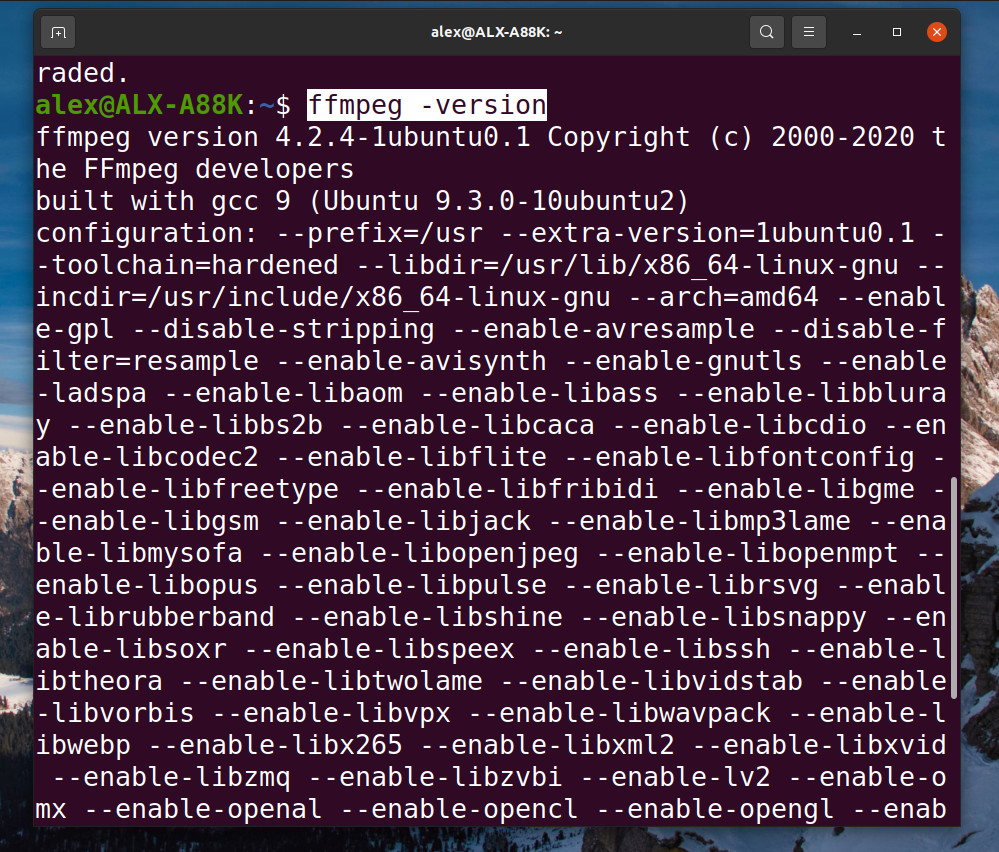
check ffmpeg version in ubuntu terminal

check ubuntu ffmpeg version in terminal

Convert .webp to .png image using Ubuntu Terminal

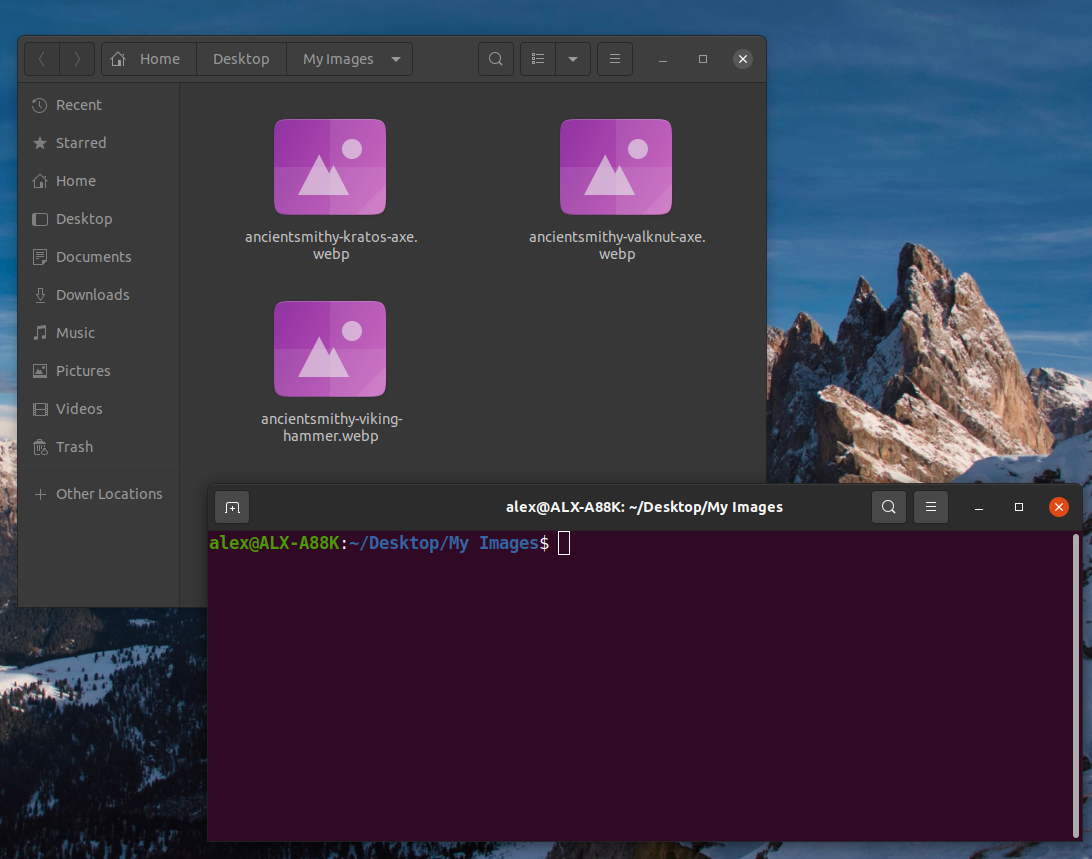
1. Open folder with .webp images

Find and open folder with .webp images we need to convert
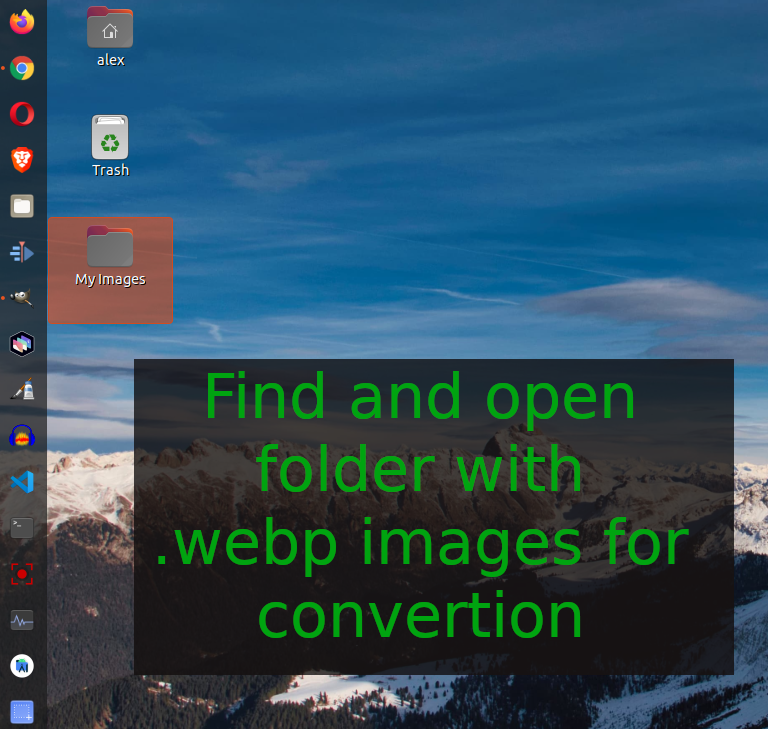
find folder with webp images on ubuntu linux

find folder with .webp images on ubuntu linux

2. Open Ubuntu terminal in folder with .webp images

Right mouse button click and select "Open in Terminal" menu item

select open in terminal menu item in ubuntu linux

open ubuntu terminal in folder

3. Execute .webp to .png terminal command

Type following command and press Enter button

for file in *.webp; do ffmpeg -i "$file" "$file".png; done

type command and press enter to convert webp to png in terminal


Script explanation

for file in *.webp; do ffmpeg -i "$file" "$file".png; done

for file in *.webp; - select all files in current folder  with extension .webp

        do ffmpeg -i "$file" "$file".png; - foreach file ($file) execute command ffmpeg -i "$file" "$file".png

done

BONUS convert .jpeg to .png

Convert .jpg to .png

for file in *.jpg; do ffmpeg -i "$file" "$file".png; done

Convert .jpeg to .png

for file in *.jpeg; do ffmpeg -i "$file" "$file".png; done

Convert .png to .jpg

for file in *.png; do ffmpeg -i "$file" "$file".jpg; done

Ubuntu 20.04 LTS partial screenshot ( prints screen ) to clipboard

Ubuntu 20.04 LTS partial screenshot ( print screen ) to clipboard 

Ubuntu 20.04 LTS partial screenshot ( prints screen ) to clipboard tutorial

In this tutorial we will show how to make partial screenshot in Ubuntu linux. By default when we press printscreen button on keyboard Ubuntu creates whole screenshot image in Pictures folder.

Solution :


Watch on YouTube

Steps : 

1. Press CTRL + SHIFT + PrtScr buttons

Ubuntu partial screenshot to clipboard keyboard shortcut

2. Select screen area

select screen are in ubuntu screenshot

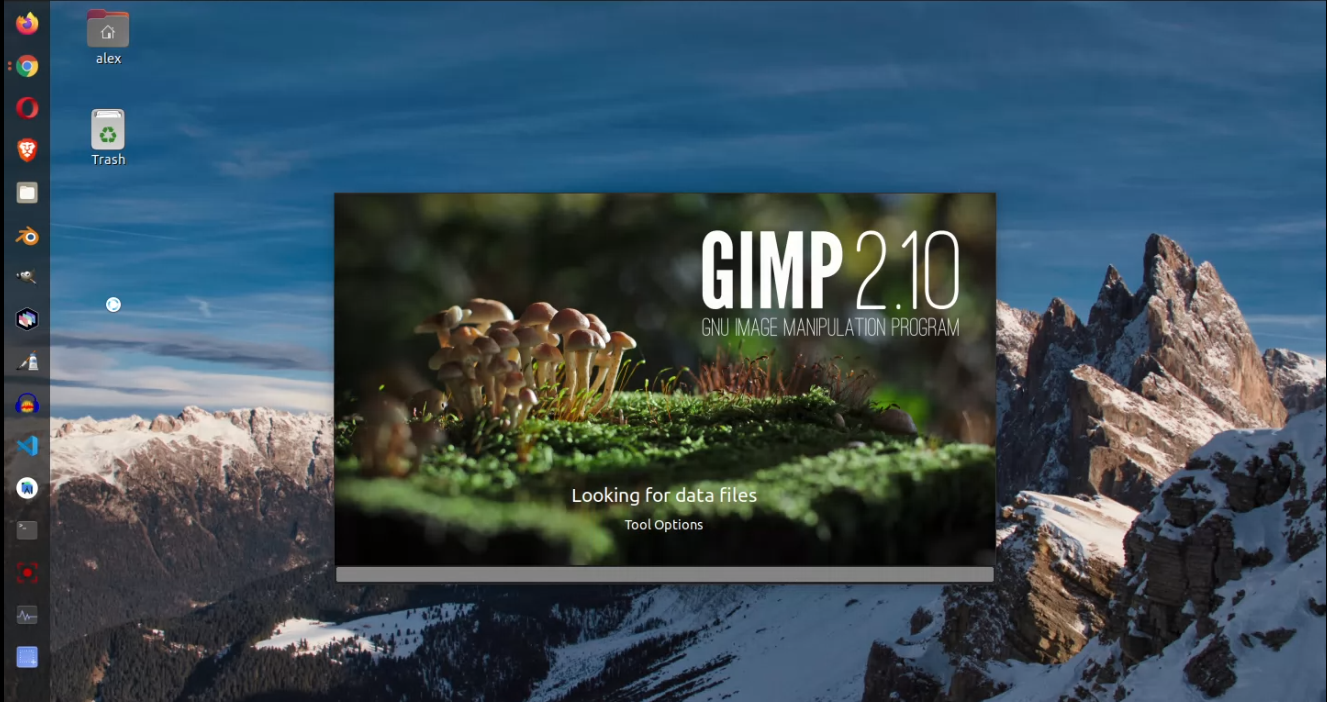
3. Open image editor ( we used GIMP editor in video )

open GIMP image editor in Ubuntu linux to paste screenshot

4. Paste partial screenshot from Ubuntu clipboard

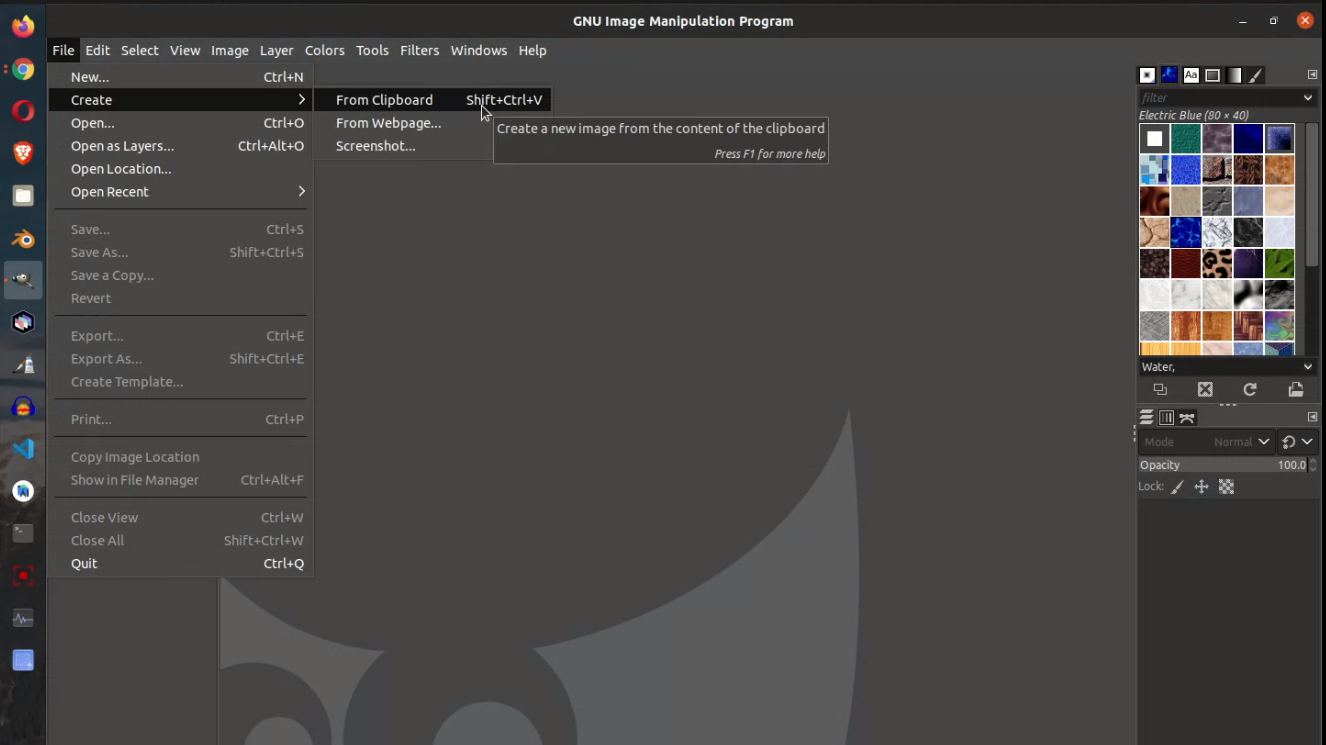
Create image from clipboard in GIMP image editor on ubuntu

ubuntu printscreen to clipboard result


How to Run Fluid Shiny Example with Terminal on Parrot Security Linux

Trabla : How to Run Fluid Shiny Example with Terminal on Parrot Security Linux


How to Run Fluid Shiny Example with Terminal on Parrot Security Linux


Go (often referred to as Golang) is a programming language created by Google in 2009 by Robert Griesemer, Rob Pike, and Ken Thompson. Go is a statically typed, compiled language in the tradition of C, with memory safety, garbage collection, structural typing, and CSP-style concurrency. The compiler, tools, and source code are all free and open source.

Solving:


How to Install Fiddler with Terminal on Parrot Security Linux

Trabla : How to Install Fiddler HTTP debugging proxy server with Terminal on Parrot Security Linux


How to Install Fiddler with Terminal on Parrot Security Linux


Fiddler is an HTTP debugging proxy server application originally written by Eric Lawrence, formerly a program manager on the Internet Explorer development team at Microsoft.

Solving:


How to Set Environment Variables for Gomobile for current terminal session with Terminal on Parrot

Trabla : How to Set Environment Variables for Gomobile for current terminal session with Terminal on Parrot Security Linux

How to Set Environment Variables for Gomobile for current terminal session with Terminal on Parrot Security Linux


Go (often referred to as Golang) is a programming language created by Google in 2009 by Robert Griesemer, Rob Pike, and Ken Thompson. Go is a statically typed, compiled language in the tradition of C, with memory safety, garbage collection, structural typing, and CSP-style concurrency. The compiler, tools, and source code are all free and open source.

Solving:


How to Install Mono with Terminal on Parrot Security Linux

Trabla : How to Install Mono with Terminal on Parrot Security Linux

How to Install Mono with Terminal on Parrot Security Linux


A cross-platform UI toolkit for creating desktop applications with .NET and Mono.
MonoDevelop can be used on Windows, macOS and Linux. Officially supported Linux distributions include CentOS, Debian, Fedora, openSUSE, SUSE Linux Enterprise, Red Hat Enterprise Linux and Ubuntu, with many other distributions providing their own unofficial builds of MonoDevelop in their repositories. macOS and Windows have been officially supported since version 2.2.

Solving:


How to Add New SSH Key to SSH Agent with Terminal on Parrot Security Linux

Trabla : How to Add New SSH Key to SSH Agent with Terminal on Parrot Security Linux

How to Add New SSH Key to SSH Agent with Terminal on Parrot Security Linux


ssh-keygen is a standard component of the Secure Shell (SSH) protocol suite found on Unix and Unix-like computer systems used to establish secure shell sessions between remote computers over insecure networks, through the use of various cryptographic techniques. The ssh-keygen utility is used to generate, manage, and convert authentication keys.

ssh-keygen is able to generate a key using one of three different digital signature algorithms.

With the help of the ssh-keygen tool, a user can create passphrase keys for any of these key types (to provide for unattended operation, the passphrase can be left empty, at increased risk).

These keys differ from keys used by the related tool GNU Privacy Guard.

Solving:


How to Fix Can not Find App Directory with Terminal on Parrot Security Linux

Trabla : How to Fix Can not Find App Directory with Terminal on Parrot Security Linux


How to Fix Can not Find App Directory with Terminal on Parrot Security Linux


Go (often referred to as Golang) is a programming language created by Google in 2009 by Robert Griesemer, Rob Pike, and Ken Thompson. Go is a statically typed, compiled language in the tradition of C, with memory safety, garbage collection, structural typing, and CSP-style concurrency. The compiler, tools, and source code are all free and open source.

Solving:


How to Fix Error File repositories.cfg could not be loaded with Terminal on Parrot Security Linux

Trabla : How to Fix Error File repositories.cfg could not be loaded with Terminal on Parrot Security Linux

How to Fix Error File repositories.cfg could not be loaded with Terminal on Parrot Security Linux


Go (often referred to as Golang) is a programming language created by Google in 2009 by Robert Griesemer, Rob Pike, and Ken Thompson. Go is a statically typed, compiled language in the tradition of C, with memory safety, garbage collection, structural typing, and CSP-style concurrency. The compiler, tools, and source code are all free and open source.

Solving:


How to Run Basic Shiny Example with Terminal on Parrot Security Linux

Trabla : How to Run Basic Shiny Example with Terminal on Parrot Security Linux


How to Run Basic Shiny Example with Terminal on Parrot Security Linux

Go (often referred to as Golang) is a programming language created by Google in 2009 by Robert Griesemer, Rob Pike, and Ken Thompson. Go is a statically typed, compiled language in the tradition of C, with memory safety, garbage collection, structural typing, and CSP-style concurrency. The compiler, tools, and source code are all free and open source.

Solving:


How to Run Text View Shiny Example with Terminal on Parrot Security Linux

Trabla : How to Run Text View Shiny Example with Terminal on Parrot Security Linux


How to Run Text View Shiny Example with Terminal on Parrot Security Linux


Go (often referred to as Golang) is a programming language created by Google in 2009 by Robert Griesemer, Rob Pike, and Ken Thompson. Go is a statically typed, compiled language in the tradition of C, with memory safety, garbage collection, structural typing, and CSP-style concurrency. The compiler, tools, and source code are all free and open source.

Solving:


How to get Golang UI with Terminal on Parrot Security Linux

Trabla : How to get Golang UI with Terminal on Parrot Security Linux


How to get Golang UI with Terminal on Parrot Security Linux


Go (often referred to as Golang) is a programming language created by Google in 2009 by Robert Griesemer, Rob Pike, and Ken Thompson. Go is a statically typed, compiled language in the tradition of C, with memory safety, garbage collection, structural typing, and CSP-style concurrency. The compiler, tools, and source code are all free and open source.

Solving:


How to fix Permission Denied in any of shell script with Terminal on Parrot Security Linux

Trabla : How to fix Permission Denied in any of shell script with Terminal on Parrot Security Linux


How to fix Permission Denied in any of shell script with Terminal on Parrot Security Linux


A shell script is a computer program designed to be run by the Unix shell, a command-line interpreter. The various dialects of shell scripts are considered to be scripting languages. Typical operations performed by shell scripts include file manipulation, program execution, and printing text. A script which sets up the environment, runs the program, and does any necessary cleanup, logging, etc. is called a wrapper.

The term is also used more generally to mean the automated mode of running an operating system shell; in specific operating systems they are called other things such as batch files (MSDos-Win95 stream, OS/2), command procedures (VMS), and shell scripts (Windows NT stream and third-party derivatives like 4NT—article is at cmd.exe), and mainframe operating systems are associated with a number of terms.

Solving:


How to check QT version with Terminal on Parrot Security Linux

Trabla : How to check QT version with Terminal on Parrot Security Linux


How to check QT version with Terminal on Parrot Security Linux

Qt Creator is a cross-platform C++, JavaScript and QML integrated development environment which is part of the SDK for the Qt GUI application development framework. It includes a visual debugger and an integrated GUI layout and forms designer. The editor's features include syntax highlighting and autocompletion. Qt Creator uses the C++ compiler from the GNU Compiler Collection on Linux and FreeBSD. On Windows it can use MinGW or MSVC with the default install and can also use Microsoft Console Debugger when compiled from source code. Clang is also supported.

Solving:


How to Run Tile Shiny Example with Terminal on Parrot Security Linux

Trabla: How to Run Tile Shiny Example with Terminal on Parrot Security Linux


How to Run Tile Shiny Example with Terminal on Parrot Security Linux


The Linux console is a system console internal to the Linux kernel (a system console is the device which receives all kernel messages and warnings and which allows logins in single user mode). The Linux console provides a way for the kernel and other processes to send text output to the user, and to receive text input from the user. The user typically enters text with a computer keyboard and reads the output text on a computer monitor. The Linux kernel supports virtual consoles - consoles that are logically separate, but which access the same physical keyboard and display. The Linux console (and Linux virtual consoles) are implemented by the VT subsystem of the Linux kernel, and do not rely on any user space software. This is in contrast to a terminal emulator, which is a user space process that emulates a terminal, and is typically used in a graphical display environment.

Parrot Security OS (or ParrotSec) is a Linux distribution based on Debian with a focus on computer security. It is designed for penetration testing, vulnerability assessment and mitigation, computer forensics and anonymous web browsing. It is developed by the Frozenbox Team.

Solving:


How to Install LibQTK3 with Terminal on Parrot Security Linux

Trabla : How to Install LibQTK3 with Terminal on Parrot Security Linux


How to Install LibQTK3 with Terminal on Parrot Security Linux

GTK+ (formerly GIMP Toolkit) is a cross-platform widget toolkit for creating graphical user interfaces. It is licensed under the terms of the GNU Lesser General Public License, allowing both free and proprietary software to use it. It is, along with Qt, one of the most popular tool-kits for the Wayland and X11 windowing systems.

The Linux console was one of the first features of the kernel and was originally written by Linus Torvalds in 1991(see history of Linux). There are two main implementations: framebuffer and text mode. The framebuffer implementation is the default in modern Linux distributions, and together with kernel mode setting, provides kernel-level support for display hardware and features such as showing graphics while the system is booting. The legacy text mode implementation was used in PC-compatible systems with CGA, EGA, MDA and VGA graphics cards. Non-x86 architectures used framebuffer mode because their graphics cards did not implement text mode. The Linux console uses fixed-size bitmap, monospace fonts, usually defaulting to 8x16 pixels per character.

Solving:


How to Run Widget Gallery Shiny Example with Terminal on Parrot Security Linux

Trabla : How to Run Widget Gallery Shiny Example with Terminal on Parrot Security Linux


How to Run Widget Gallery Shiny Example with Terminal on Parrot Security Linux

A software widget is a relatively simple and easy-to-use software application or component made for one or more different software platforms.

A desk accessory or applet is an example of a simple, stand-alone user interface, in contrast with a more complex application such as a spreadsheet or word processor. These widgets are typical examples of transient and auxiliary applications that don't monopolize the user's attention.

On the other hand, graphical control elements (GUI "widgets") are examples of reusable modular components that are used together to build a more complex application, allowing programmers to build user interfaces by combining simple, smaller parts.

Solving:


How to Set Go Variables (Quick Guide) with Terminal on Parrot Security Linux

Trabla :How to Set Go Variables (Quick Guide) with Terminal on Parrot Security Linux

How to Set Go Variables (Quick Guide) with Terminal on Parrot Security Linux

An environment variable is a dynamic-named value that can affect the way running processes will behave on a computer.

They are part of the environment in which a process runs. For example, a running process can query the value of the TEMP environment variable to discover a suitable location to store temporary files, or the HOME or USERPROFILE variable to find the directory structure owned by the user running the process.

They were introduced in their modern form in 1979 with Version 7 Unix, so are included in all Unix operating system flavors and variants from that point onward including Linux and macOS. From PC  DOS 2.0 in 1982, all succeeding Microsoft operating systems including Microsoft Windows, and OS/2 also have included them as a feature, although with somewhat different syntax, usage and standard variable names.


Solving:


How to check Github keys with Terminal on Parrot Security Linux

Trabla : How to check Github keys with Terminal on Parrot Security Linux


How to check Github keys with Terminal on Parrot Security Linux


GitHub Inc. is a web-based hosting service for version control using Git. It is mostly used for computer code. It offers all of the distributed version control and source code management (SCM) functionality of Git as well as adding its own features. It provides access control and several collaboration features such as bug tracking, feature requests, task management, and wikis for every project.

Solving:


How to fix Andlab ui package Not found


Trabla : How to fix Andlab ui package Not found


How to fix Andlab ui package Not found


A package manager deals with packages, distributions of software and data in archive files. Packages contain metadata, such as the software's name, description of its purpose, version number, vendor, checksum, and a list of dependencies necessary for the software to run properly. Upon installation, metadata is stored in a local package database. Package managers typically maintain a database of software dependencies and version information to prevent software mismatches and missing prerequisites. They work closely with software repositories, binary repository managers, and app stores.

Package managers are designed to eliminate the need for manual installs and updates. This can be particularly useful for large enterprises whose operating systems are based on Linux and other Unix-like systems, typically consisting of hundreds or even tens of thousands of distinct software packages.

Solving: