Vie Crypto Faucet and PTC
Showing posts with label ffmpeg. Show all posts

How to convert .webp to .png image on Windows 10 using ffmpeg

How to convert .webp to .png image on Windows 10 using ffmpeg

How to convert .webp image to .png using FFMPEG on Windows 10

FFmpeg is a free and open-source software project consisting of a large suite of libraries and programs for handling video, audio, and other multimedia files and streams. At its core is the FFmpeg program itself, designed for command-line-based processing of video and audio files. It is widely used for format transcoding, basic editing (trimming and concatenation), video scaling, video post-production effects and standards compliance (SMPTE, ITU).

Solving : 


1. Download, install and configure FFMPEG on Windows 10

- download and install 7-Zip free opensource archive tool 

from official website : https://www.7-zip.org/

Download free opensource archive tool 7-Zip from official website

- visit official  FFMPEG Window build provider website : 

https://www.gyan.dev/ffmpeg/builds/

ffmpeg windows build provider

-  scroll down page until "Release" section, and click on ffmpeg-release-full link

ffmpeg on windows click on download url in release section

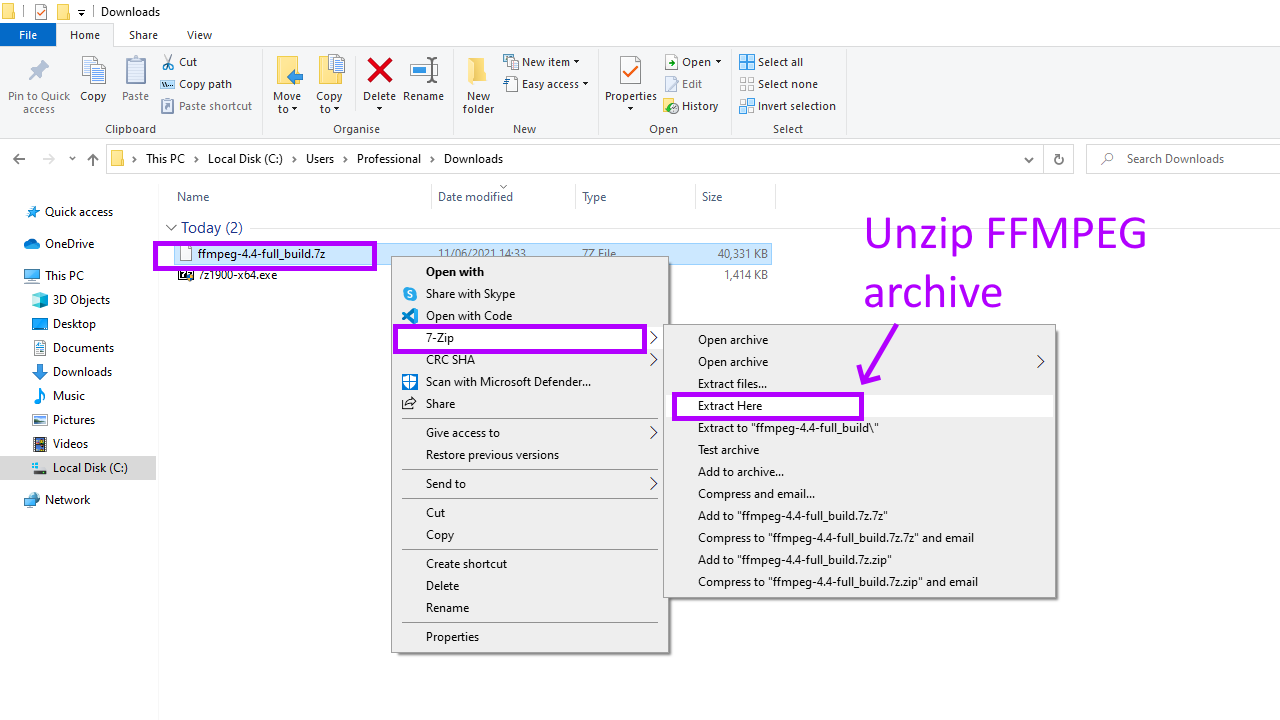
- unzip ffmpeg archive using 7-Zip tool 

unzip ffmpeg archive on windows using 7zip tool
extracting ffmpeg archive please wait

open unzipped ffmpeg folder by double click on it
content of ffmpeg unzziped folder

- create folder ffmpeg on disk C e.g.  C:\ffmpeg 

 
create new folder on disk C


rename new folder to ffmpeg

- copy files from unzipped archive to C:\ffmpeg

copy files from unzipped folder to ffmpeg on disk c

disk C folder ffmpeg content

- add  C:\ffmpeg\bin\  to Path environment variables  
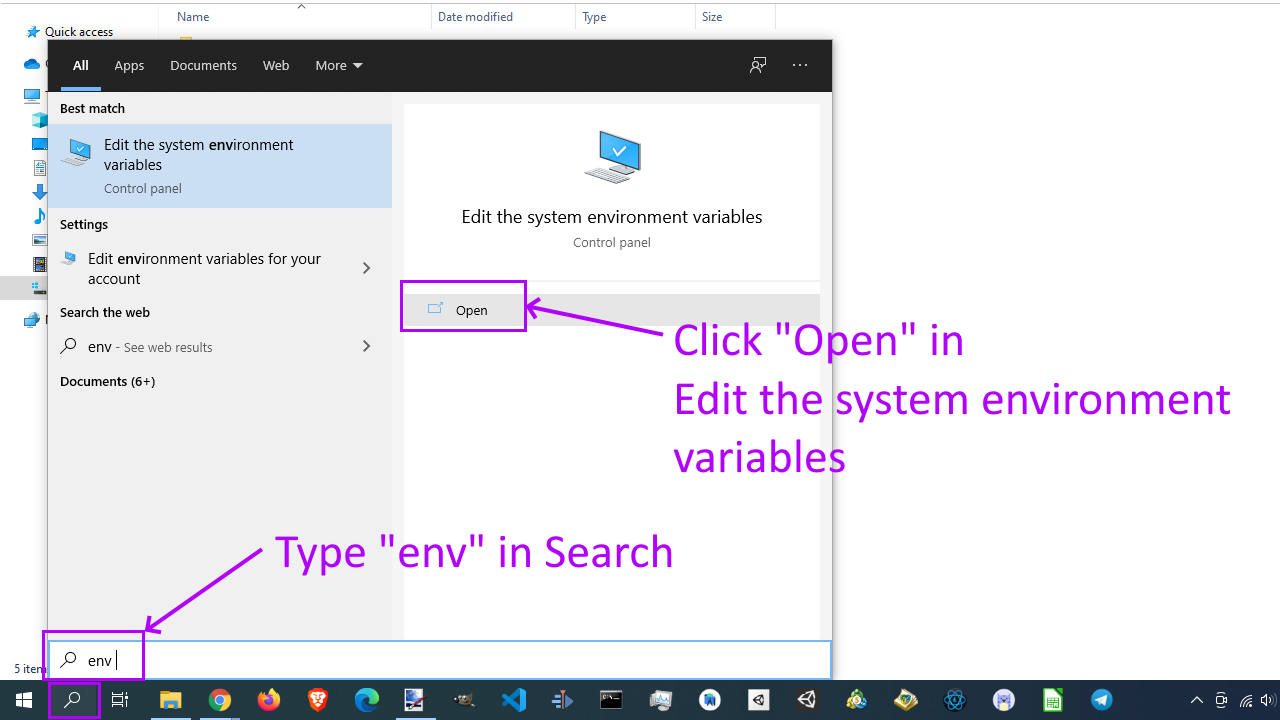
search env and click open edit system environment variables

click on Environment Variables

find Path environment variable and click Edit button in dialog

click New button in dialog

type ffmpeg bin path and click Ok button

- check ffmpeg setup in cmd, open CMD and type ffmpeg -version

open windows cmd and type ffmpeg version and press enter


2. Execute command .webp to .png image convertion command in Windows CMD

- in CMD change directory to folder with .webp images

change directory in cmd to webp images folder

- type following conversion command + press Enter

for /f %f in ('dir /b .') do ffmpeg -i "%f" "%f".png

type convertion command and press Enter button on keyboard

result of webp to png convertion

Command explanation :

for /f %f in   - for loop

('dir /b .')   - select all files in current directory ( dot ) you can use path

do  - do for each iteration in for loop

ffmpeg -i "%f" "%f".png  -  command to make ffmpeg convertion


How to convert .webp image to .png on Ubuntu using ffmpeg and terminal

How to convert .webp image to .png on Ubuntu using ffmpeg and terminal 

How to convert .webp to .png images on Ubuntu via Terminal and ffmpeg coding tutorial

    FFmpeg is a free and open-source software project consisting of a large suite of libraries and programs for handling video, audio, and other multimedia files and streams. At its core is the FFmpeg program itself, designed for command-line-based processing of video and audio files. It is widely used for format transcoding, basic editing (trimming and concatenation), video scaling, video post-production effects and standards compliance (SMPTE, ITU).

    In this tutorial we will convert .webp images to .png using ffmpeg and Ubuntu's terminal.

Solving :

Watch on YouTube

Install ffmpeg on Ubuntu

First of all we need to install ffmpeg on Ubuntu ( if it's not installed ). We need to make this step only once.

1. Open Ubuntu Terminal

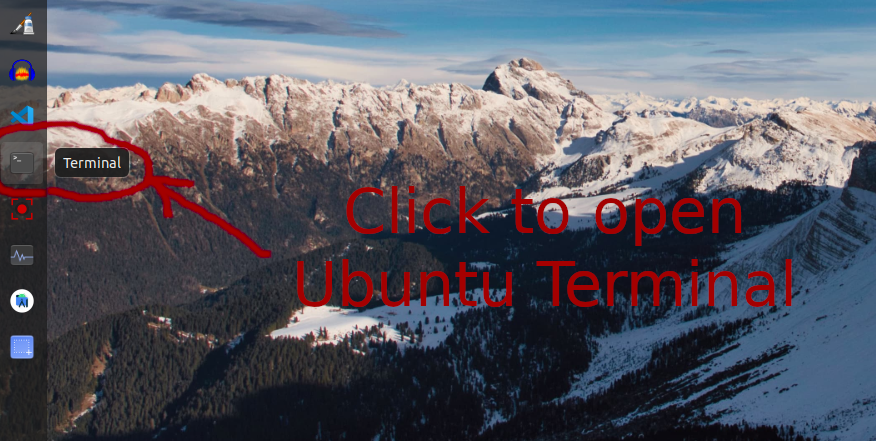
Open Ubuntu terminal by clicking Terminal icon on your desktop

click on icon to open ubuntu terminal

2. Update Ubuntu package list in Terminal

Type sudo apt update and press Enter, type your password and press Enter one more time.

Type sudo apt update and press Enter on Ubuntu Terminal

type your password and press enter in ubuntu terminal

ubuntu paclage list updated

3. Install FFMPEG on Ubuntu via Terminal

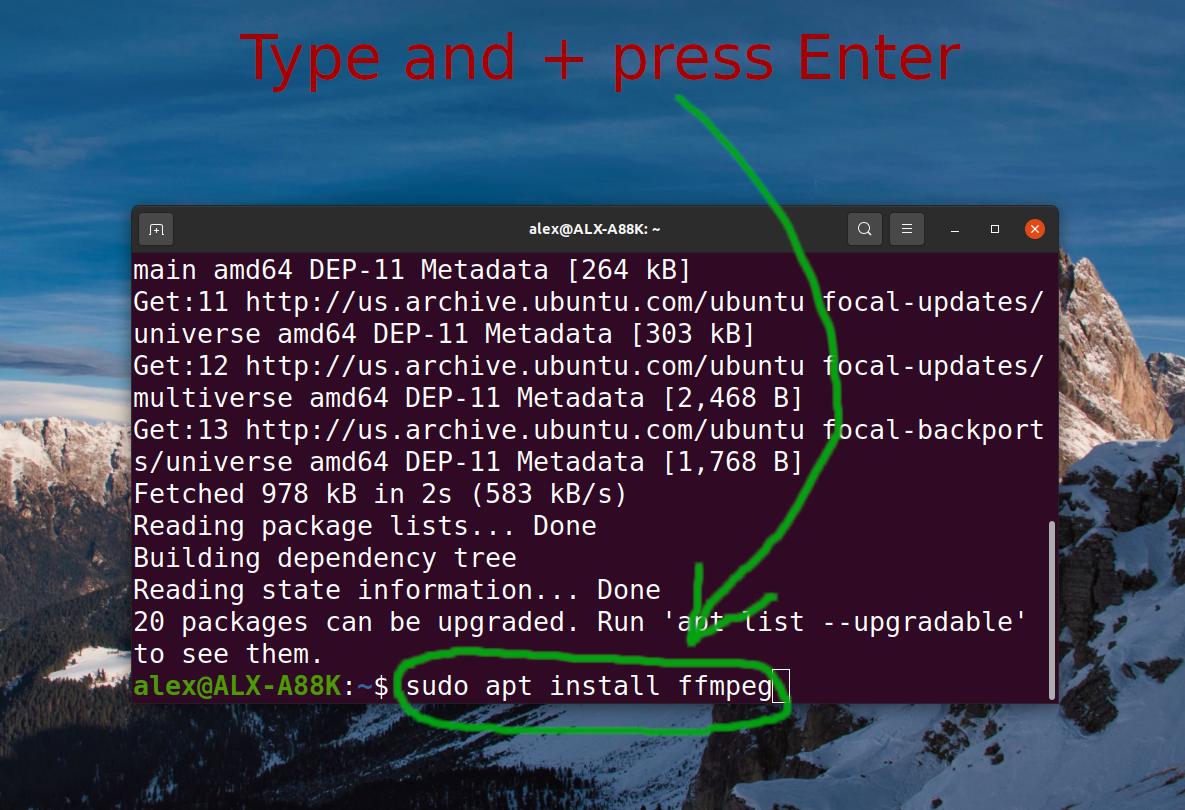
Type sudo apt install ffmpeg and press Enter, type your password and press Enter one more time.

type sudo apt intall ffmpeg and press enter in ubuntu terminal

ffmpeg already installed on ubuntu

4. Check FFMPEG version

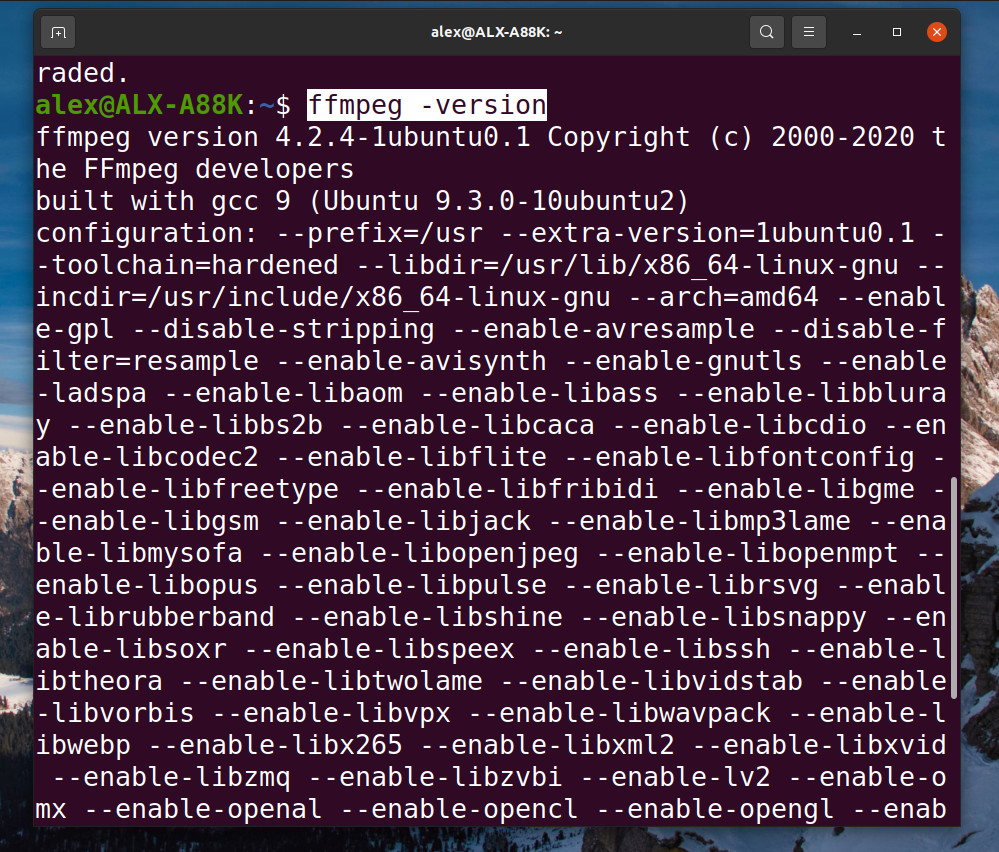
Simply type ffmpeg -version and press Enter

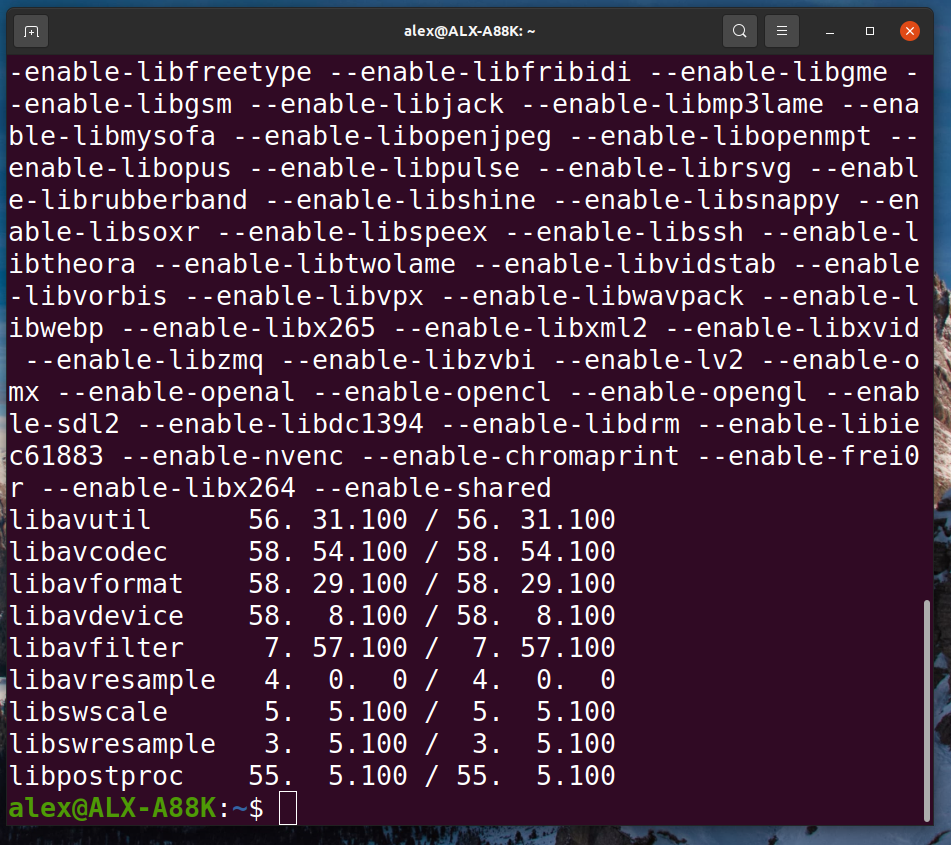
check ffmpeg version in ubuntu terminal

check ubuntu ffmpeg version in terminal

Convert .webp to .png image using Ubuntu Terminal

1. Open folder with .webp images

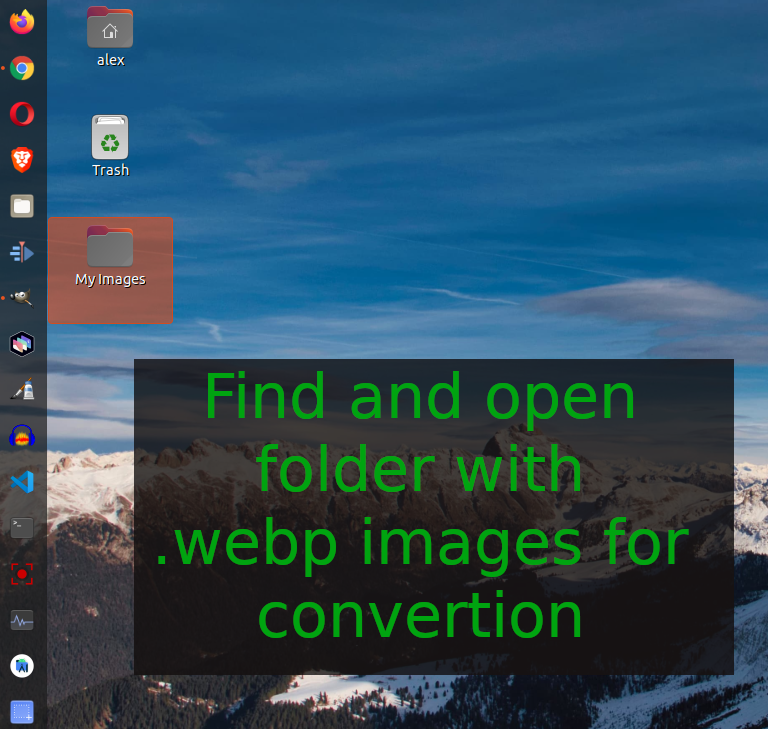
Find and open folder with .webp images we need to convert

find folder with webp images on ubuntu linux

find folder with .webp images on ubuntu linux

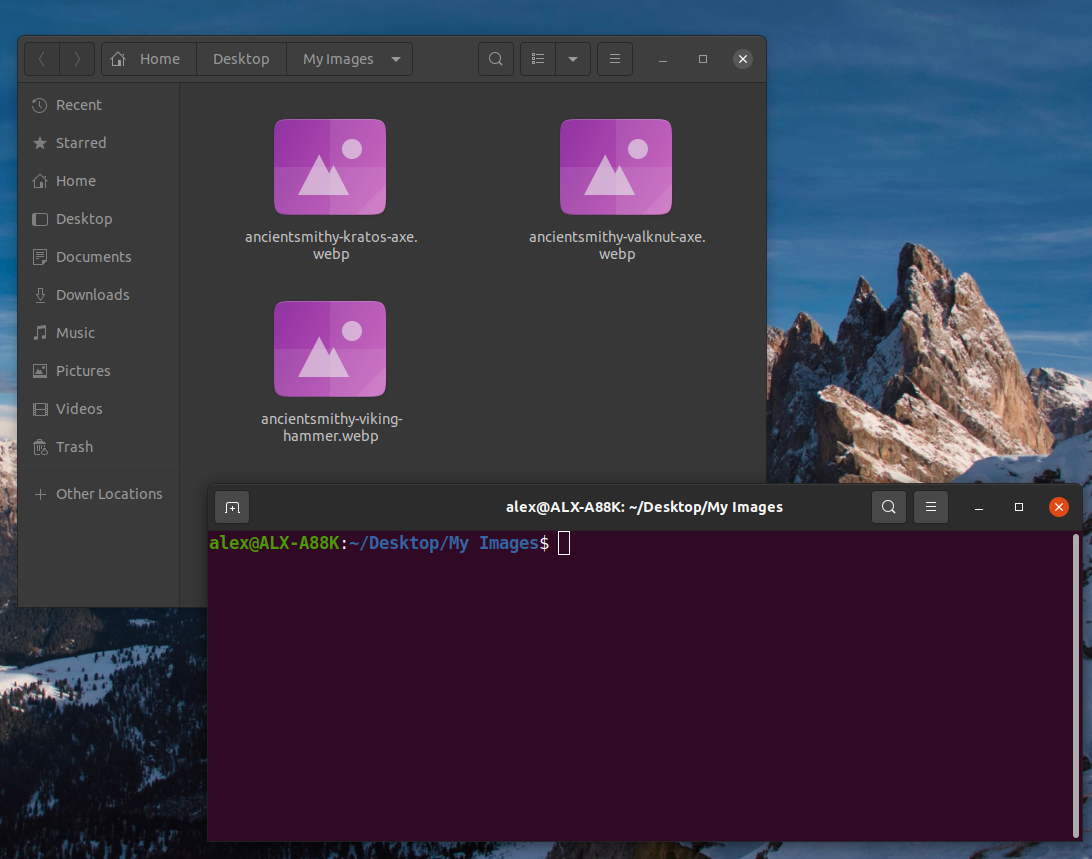
2. Open Ubuntu terminal in folder with .webp images

Right mouse button click and select "Open in Terminal" menu item

select open in terminal menu item in ubuntu linux

open ubuntu terminal in folder

3. Execute .webp to .png terminal command

Type following command and press Enter button

for file in *.webp; do ffmpeg -i "$file" "$file".png; done

type command and press enter to convert webp to png in terminal


Script explanation

for file in *.webp; do ffmpeg -i "$file" "$file".png; done

for file in *.webp; - select all files in current folder  with extension .webp

        do ffmpeg -i "$file" "$file".png; - foreach file ($file) execute command ffmpeg -i "$file" "$file".png

done

BONUS convert .jpeg to .png

Convert .jpg to .png

for file in *.jpg; do ffmpeg -i "$file" "$file".png; done

Convert .jpeg to .png

for file in *.jpeg; do ffmpeg -i "$file" "$file".png; done

Convert .png to .jpg

for file in *.png; do ffmpeg -i "$file" "$file".jpg; done

How to cut mp3 via ffmpeg

Trabla : How to cut mp3 via ffmpeg


How to cut mp3 via ffmpeg

FFmpeg is a free software project that produces libraries and programs for handling multimedia data. FFmpeg includes libavcodec, an audio/video codec library used by several other projects, libavformat (Lavf), an audio/video container mux and demux library, and the ffmpeg command line program for transcoding multimedia files. FFmpeg is published under the GNU Lesser General Public License 2.1+ or GNU General Public License 2+ (depending on which options are enabled). The name of the project is inspired by the MPEG video standards group, together with "FF" for "fast forward". The logo uses a zigzag pattern that shows how MPEG video codecs handle entropy encoding.

FFmpeg Official Site - https://ffmpeg.org/


Solving:


Watch on YouTube

How to convert m4a to mp3 audio using FFMPEG

Trabla : How to convert m4a to mp3 audio using FFMPEG


How to convert m4a to mp3 audio using FFMPEG

FFmpeg is a free software project that produces libraries and programs for handling multimedia data. FFmpeg includes libavcodec, an audio/video codec library used by several other projects, libavformat (Lavf), an audio/video container mux and demux library, and the ffmpeg command line program for transcoding multimedia files. FFmpeg is published under the GNU Lesser General Public License 2.1+ or GNU General Public License 2+ (depending on which options are enabled). The name of the project is inspired by the MPEG video standards group, together with "FF" for "fast forward". The logo uses a zigzag pattern that shows how MPEG video codecs handle entropy encoding.

FFmpeg Official Site - https://ffmpeg.org/

Solving:


Watch on YouTube


ffmpeg & cmd: convert WAV to MP3 in Win7 using FFmpeg

Trabla: ffmpeg & cmd - convert WAV to MP3 in Win7 using FFmpeg

Solving:

1. Install FFmpeg for Windows
https://visvis.googlecode.com/files/ffmpeg-win32-setup.exe

2. Create Folder Structure & files

C:\WAV_to_MP3
C:\WAV_to_MP3\WAV
C:\WAV_to_MP3\MP3
C:\WAV_to_MP3\WAV_to_MP3.bat

3. Place WAV files into folder C:\WAV_to_MP3\WAV

4. Edit file  C:\WAV_to_MP3\WAV_to_MP3.bat - type following command line script + Save

SET PATH=%PATH%;C:\Program Files (x86)\ffmpeg
for %%f in (C:\WAV_to_MP3\WAV\*.wav) do ffmpeg -i %%f -f mp3 C:\WAV_to_MP3\MP3\%%~nf.mp3


where
C:\Program Files (x86)\ffmpeg - location folder of  ffmpeg.exe file

for %%f in (C:\WAV_to_MP3\WAV\*.wav) do  - means foreach file in folder C:\WAV_to_MP3\WAV\  with any name but extension .wav execute command after word "do"

ffmpeg -i %%f -f mp3 C:\WAV_to_MP3\MP3\%%~nf.mp3  - ffmpeg conversion command
%%f - input file name ( full path )
%%~nf - only file name without path and extension


5. Run C:\WAV_to_MP3\WAV_to_MP3.bat in cmd.exe