Showing posts with label Osclass. Show all posts

Install Osclass v3.6.1 on Windows 7 x64 localhost ( XAMPP 7.0.9 + php7 ) - Part 2/2

Trabla: Install Osclass v3.6.1 on Windows 7 x64 localhost ( XAMPP 7.0.9 + php7 ) opensource PHP classifieds marketplace - Part  2/2

Install Osclass v3.6.1 classifieds on Windows 7 tutorial


Osclass is your one-stop shop to building your own classifieds marketplace.
Create a site with real estate ads, job listings, car classifieds, rentals, or just about anything you can imagine. With dozens of templates, themes and plugins, Osclass is fully customizable. Now you can manage your own Osclass installation in your server or use our fully hosted Osclass Free service.

Solving - Part 2 ( Part 1 ):


Watch on YouTube

7. "Database information"  page of Osclass v.3.6.1 opensource PHP classifieds marketplace   web installation

Install Osclass v3.6.1 classifieds on Windows 7 tutorial 1

Now we need to create Database for Osclass v.3.6.1 opensource PHP classifieds marketplace

1) Open phpMyAdmin in new browser tab (or window :) ) -

 http://localhost/phpmyadmin

2) Open SQL tab
3) Execute following query

Install Osclass v3.6.1 classifieds on Windows 7 tutorial 2

CREATE DATABASE `osclass` 
DEFAULT CHARACTER SET utf8 COLLATE utf8_general_ci;

CREATE USER 'osclass-owner'@'localhost'; 
CREATE USER 'osclass-owner'@'127.0.0.1';
CREATE USER 'osclass-owner'@'::1';

SET PASSWORD 
FOR 'osclass-owner'@'localhost' = PASSWORD('osclass123$%');
SET PASSWORD 
FOR 'osclass-owner'@'127.0.0.1' = PASSWORD('osclass123$%');
SET PASSWORD 
FOR 'osclass-owner'@'::1' = PASSWORD('osclass123$%');


GRANT ALL PRIVILEGES ON 
`osclass`.* TO 'osclass-owner'@'localhost' WITH GRANT OPTION;
GRANT ALL PRIVILEGES ON 
`osclass`.* TO 'osclass-owner'@'127.0.0.1' WITH GRANT OPTION;
GRANT ALL PRIVILEGES ON 
`osclass`.* TO 'osclass-owner'@'::1' WITH GRANT OPTION;

Install Osclass v3.6.1 classifieds on Windows 7 tutorial 3

Install Osclass v3.6.1 classifieds on Windows 7 tutorial 4

Go back  to Osclass v.3.6.1 opensource PHP classifieds marketplace installation page

- type Database Name -  osclass
- type User Name -  osclass-owner
- type Password osclass123$%

- click "Next" button

Install Osclass v3.6.1 classifieds on Windows 7 tutorial 5


8. "Information needed" page of Osclass v.3.6.1 opensource PHP classifieds marketplace   web installation

Install Osclass v3.6.1 classifieds on Windows 7 tutorial 6

- type your data
- click "Next" button

Install Osclass v3.6.1 classifieds on Windows 7 tutorial 7


9. "Congratulations!" page of Osclass v.3.6.1 opensource PHP classifieds marketplace   web installation

Install Osclass v3.6.1 classifieds on Windows 7 tutorial 8

Hooray !!! Enjoy  Osclass v.3.6.1 opensource PHP classifieds marketplace !!!

- Home site - fullscreen


Install Osclass v3.6.1 classifieds on Windows 7 tutorial 9


- Home site - mobile

Install Osclass v3.6.1 classifieds on Windows 7 tutorial 10

- Administrator
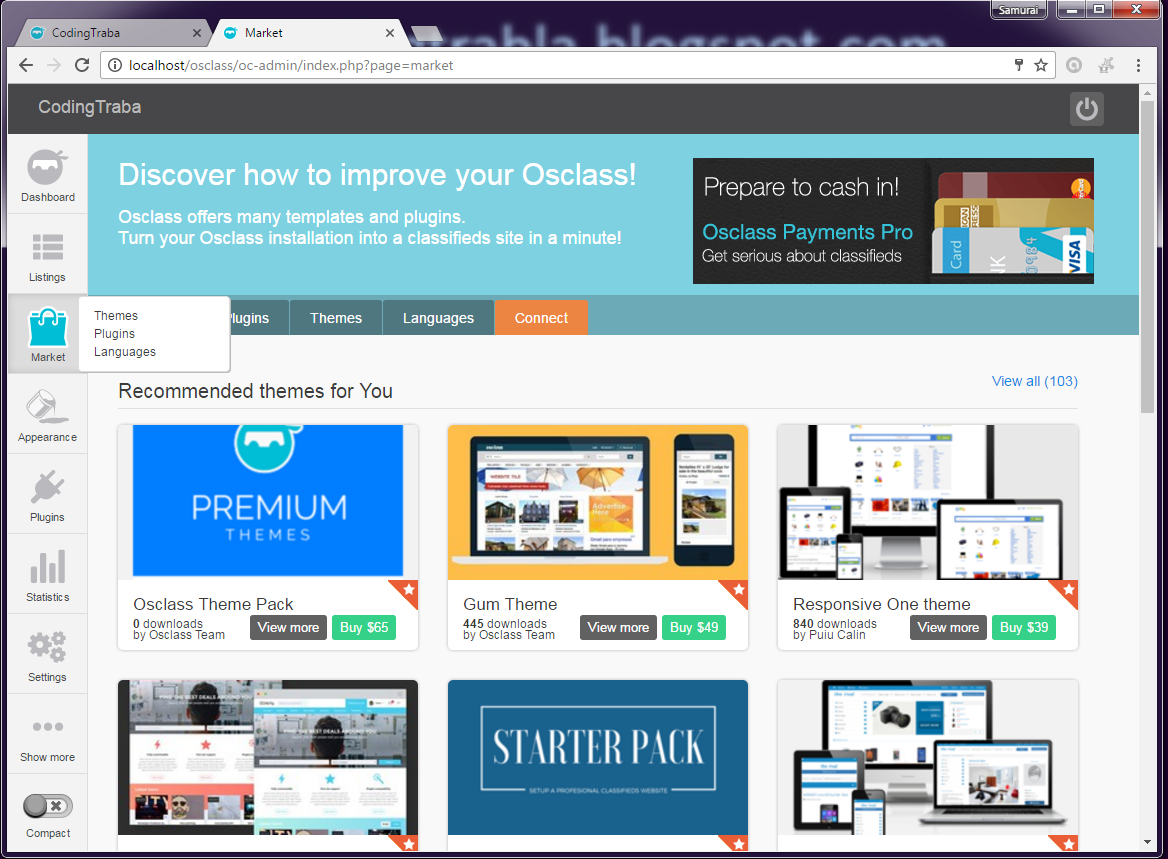
Install Osclass v3.6.1 classifieds on Windows 7 tutorial 11

Install Osclass v3.6.1 classifieds on Windows 7 tutorial 12

Install Osclass v3.6.1 classifieds on Windows 7 tutorial 13

Install Osclass v3.6.1 classifieds on Windows 7 tutorial 14

Install Osclass v3.6.1 classifieds on Windows 7 tutorial 15

Install Osclass v3.6.1 on Windows 7 x64 localhost ( XAMPP 7.0.9 + php7 ) - Part 1/2

Trabla: Install Osclass v3.6.1 on Windows 7 x64 localhost ( XAMPP 7.0.9 + php7 ) opensource PHP classifieds marketplace - Part  1/2

Install Osclass v3.6.1 classifieds on Windows 7 tutorial


Osclass is your one-stop shop to building your own classifieds marketplace.
Create a site with real estate ads, job listings, car classifieds, rentals, or just about anything you can imagine. With dozens of templates, themes and plugins, Osclass is fully customizable. Now you can manage your own Osclass installation in your server or use our fully hosted Osclass Free service.

Solving - Part 1 ( Part 2 ):


Watch on YouTube

1.  Download and install XAMPP 7.0.9  with PHP 7 from official site:
https://www.apachefriends.org/download.html

Install Osclass v3.6.1 classifieds on Windows 7 tutorial 1


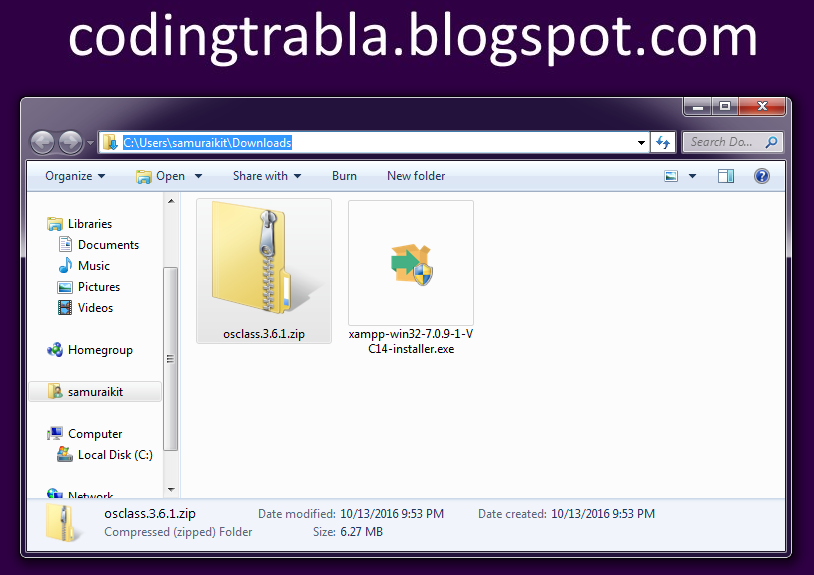
2. Download Osclass v.3.6.1 opensource PHP classifieds marketplace  sources from official site
https://osclass.org/page/download


Install Osclass v3.6.1 classifieds on Windows 7 tutorial 2


Install Osclass v3.6.1 classifieds on Windows 7 tutorial 3


3. Create folder /osclass in XAMPP htdocs 
and copy all files from downloaded Osclass v.3.6.1 opensource PHP classifieds marketplace   .zip source
e.g. on my computer

C:\xampp\htdocs\osclass 


Install Osclass v3.6.1 classifieds on Windows 7 tutorial 4

4. Run XAMPP Control Panel 

open php.ini file ( Apache ->  Config-> PHP(php.ini) )

Install Osclass v3.6.1 classifieds on Windows 7 tutorial 5

- change max_execution_time value
from max_execution_time=30 to max_execution_time=600

Install Osclass v3.6.1 classifieds on Windows 7 tutorial 6

- save  & close php.ini
- start Apache
- start Database

Install Osclass v3.6.1 classifieds on Windows 7 tutorial 7


5. Open in browser following url to start   Osclass v.3.6.1 opensource PHP classifieds marketplace   web installation

http://localhost/osclass

- click "Install" button

Install Osclass v3.6.1 classifieds on Windows 7 tutorial 8

6. "Welcome" page of Osclass v.3.6.1 opensource PHP classifieds marketplace   web installation

- disable checkbox if not needed "Allow my site to appear in search engines like Google"
- disable checkbox if not needed  ".. send stats to Osclass ..."
- click "Run the install" button

Install Osclass v3.6.1 classifieds on Windows 7 tutorial 9


NEXT -  Part 2  


Install Osclass 3.6.1 on windows ( XAMPP + php7 )

Trabla: Install Osclass 3.6.1 on windows ( XAMPP + php7 )


Install Osclass 3.6.1 on windows ( XAMPP + php7 ) tutorial


Osclass is your one-stop shop to building your own classifieds marketplace.
Create a site with real estate ads, job listings, car classifieds, rentals, or just about anything you can imagine. With dozens of templates, themes and plugins, Osclass is fully customizable. Now you can manage your own Osclass installation in your server or use our fully hosted Osclass Free service.

Latest tutorial - Install Osclass v3.6.1 on Windows 7 x64 localhost ( XAMPP 7.0.9 + php7 )
https://codingtrabla.blogspot.com/2016/10/install-osclass-v361-on-windows-7-x64.html


Solving:

1. Download and install XAMPP with php 7
https://apachefriends.org/download.html

Install Osclass 3.6.1 on windows ( XAMPP + php7 ) tutorial 1

2. Download Osclass v.3.6.1 sources from official site
https://osclass.org/page/download

Install Osclass 3.6.1 on windows ( XAMPP + php7 ) tutorial 2

Install Osclass 3.6.1 on windows ( XAMPP + php7 ) tutorial 3


3. Create folder /osclass in XAMPP htdocs and copy files from downloaded archive
e.g. on my computer
C:\xampp\htdocs\osclass 

Install Osclass 3.6.1 on windows ( XAMPP + php7 ) tutorial 4


4. We need to increase php max execution time from 30 to 300

to prevent this installation error in future steps

Install Osclass 3.6.1 on windows ( XAMPP + php7 ) tutorial 5


Open XAMPP Control Panel
- Apache - config - php.ini
Install Osclass 3.6.1 on windows ( XAMPP + php7 ) tutorial 6
Find string
max_execution_time=30
replace with
max_execution_time=300
and save file

Install Osclass 3.6.1 on windows ( XAMPP + php7 ) tutorial 7


5. In XAMPP Control Panel start apache and mysql database
If all is ok you will see green labels

Install Osclass 3.6.1 on windows ( XAMPP + php7 ) tutorial 8

6. Open browser and type following localhost address to start installation of Osclass 3.6.1

http://localhost/osclass/oc-includes/osclass/install.php

Install Osclass 3.6.1 on windows ( XAMPP + php7 ) tutorial 9


7. Disable auto stats sending and click "Run the install"

Install Osclass 3.6.1 on windows ( XAMPP + php7 ) tutorial 10


8. Enter data , enable "create DB" and press "Next" button (see example on screenshot)

Install Osclass 3.6.1 on windows ( XAMPP + php7 ) tutorial 11


9. Enter your data and press "Next" button, see example

Install Osclass 3.6.1 on windows ( XAMPP + php7 ) tutorial 12


10. Hooray!!! Click "Finish.." button

Install Osclass 3.6.1 on windows ( XAMPP + php7 ) tutorial 13

Login into admin panel

Install Osclass 3.6.1 on windows ( XAMPP + php7 ) tutorial 14

Install Osclass 3.6.1 on windows ( XAMPP + php7 ) tutorial 15